
Everything you own,
written down once.
A private inventory for the durable things in your home — what they are, where they are, what they cost, who has borrowed them, and what proves they are yours. It runs entirely on your device.
- No account
- No server
- No adverts
- No item limit
Android, iOS and any browser. Nothing to sign up for.
Why bother
Four questions, years after the fact.
Each one is trivial on the day you buy something and nearly impossible three years later. This is where the answer goes while it is still easy.
What do I own, and where is it?
Room by room, shelf by shelf, down to the box on it — or a flat list of rooms, if that is all you need.
Can I prove it was mine?
Photographs, serial numbers, receipts, values and policy numbers, kept with the thing they belong to instead of in an inbox.
Is it still under warranty?
Coverage is a state you set, not a date the app guesses. Ending soon and expired follow from the calendar on their own.
Who has it, and when is it back?
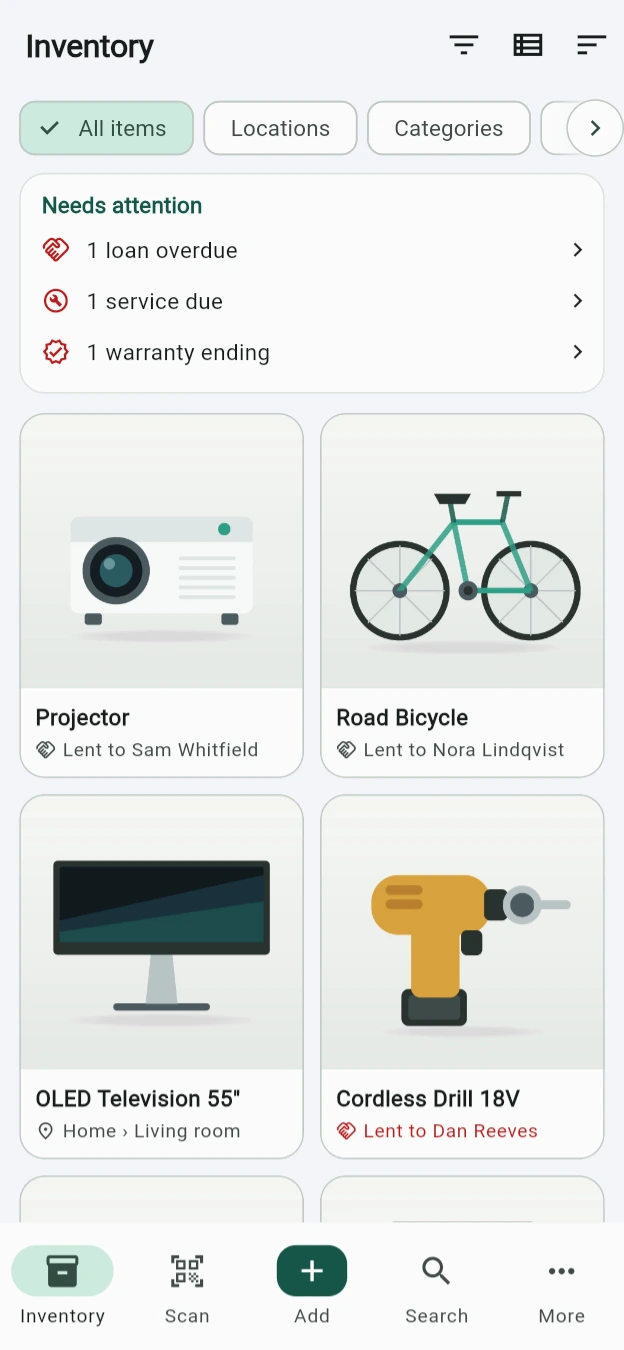
A borrower, and a due date if it matters. The overdue ones say so in red, on the item's own tile.
In practice
Four ordinary afternoons.
Not a feature tour. This is what the app is actually for, roughly in the order it tends to happen.
01 — You buy a television
The price, the receipt and the expiry date — one record, half a minute.
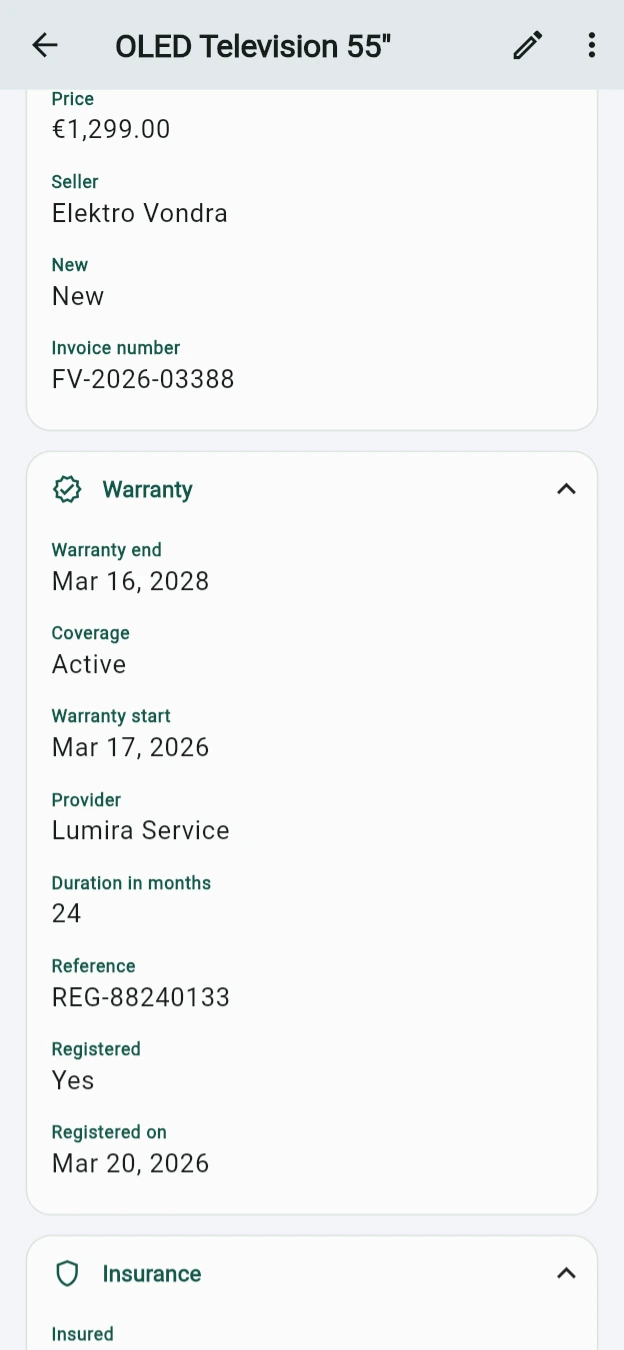
Scan the barcode in the shop, or type the model in later. What it cost, who sold it, the invoice number and the day the cover runs out all live on the item itself — so when the panel fails, you are not searching a two-year-old inbox.
- €1,299.00 from Elektro Vondra, invoice FV-2026-03388
- Warranty active until 16 March 2028, registered with the maker
- Serial and barcode on the record, and photographed if you want
02 — You lend the drill
You will remember lending it. You will not remember to whom.
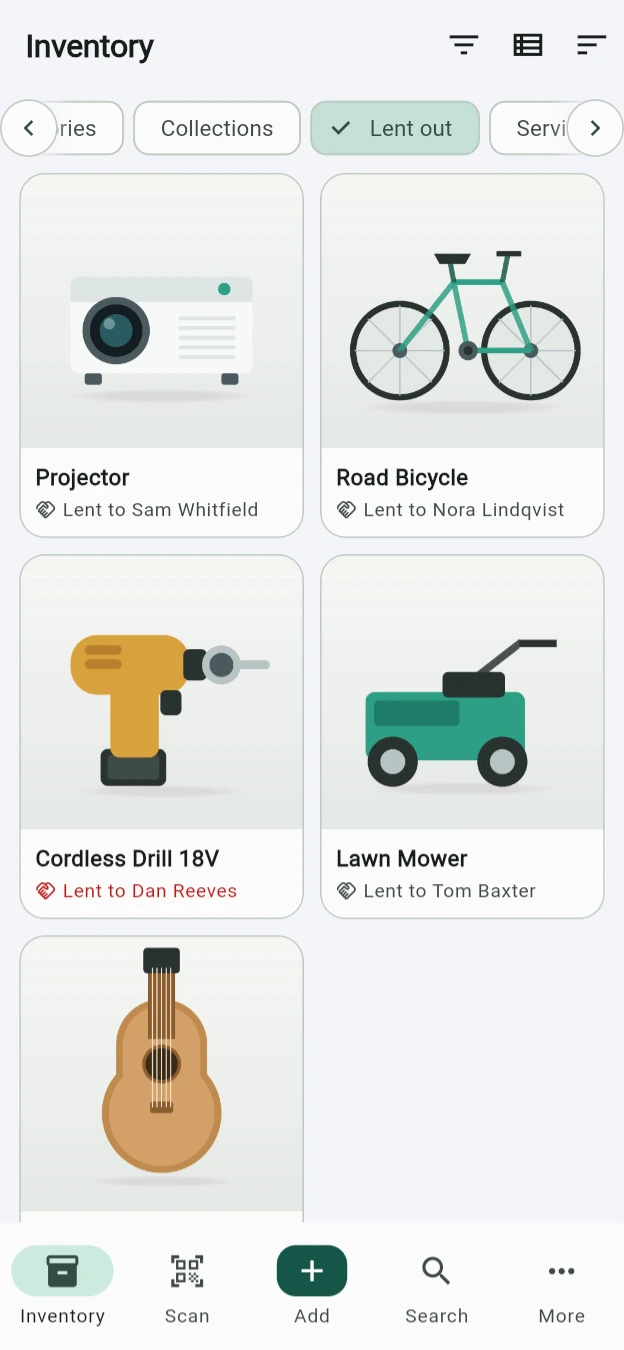
Add a borrower, and a day it is due back if that matters. The inventory marks it lent, the Lending screen separates out now, overdue, due soon and everything already returned, and one tap puts it back on its shelf.
- Out now, overdue, due soon, and the full history
- Recent borrowers offered as chips; your address book only if you ask
- A due date becomes a reminder without you setting one
03 — You have to make a claim
The insurer asks for the policy number. It is already on the thing.
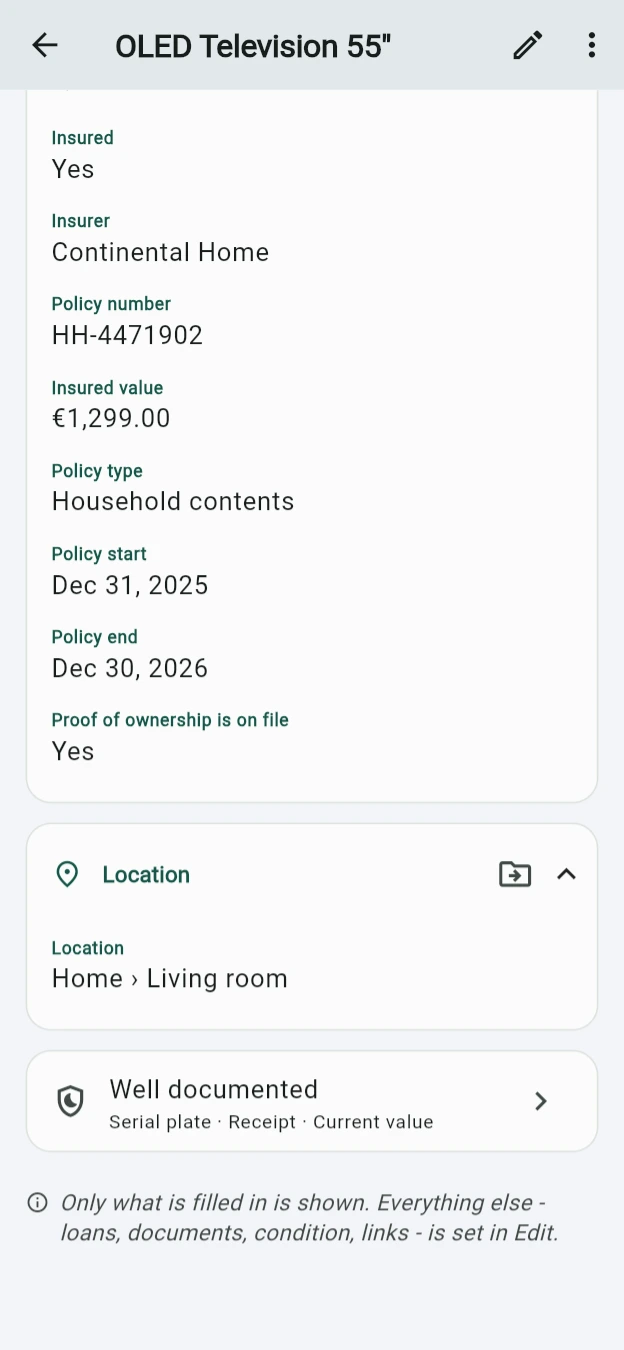
Insurer, policy number, insured value and the appraisal date sit beside the serial and the receipt. When something is stolen or a pipe bursts, the evidence is a record you already made rather than one you assemble on a bad day.
- Insured value and policy dates per item, or scheduled separately
- Photographs by role — overview, serial plate, receipt, damage
- An evidence package and an inventory book print as PDFs
04 — You cannot find it
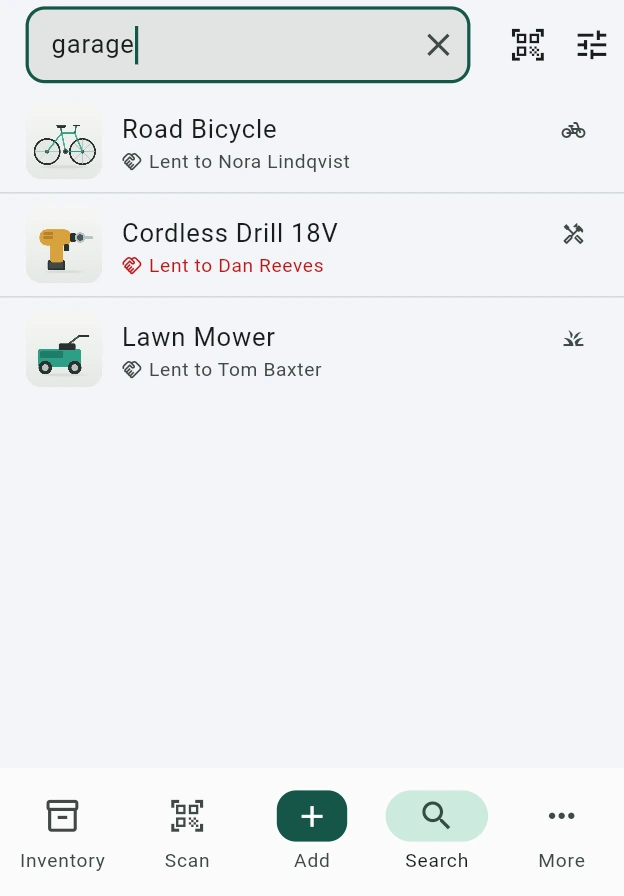
Search reaches the room it is in, and the person who has it.
Names, brands, models, serials, barcodes, tags, notes, sellers, borrowers — and the names of the places things are in. Type a room and you get the room. Sixteen filters and nine sort orders wait behind it for the day you need them.
- Partial, case-insensitive, and forgiving about a typo
- Separator-insensitive on serials and barcodes
- Or point the camera at the QR label you printed for the box
How much you write down
A photo and a name is a saved item. So is a full passport.
They are the same record. Advanced Mode reveals what was always there rather than converting anything, so a form you shrank never puts a field out of reach.
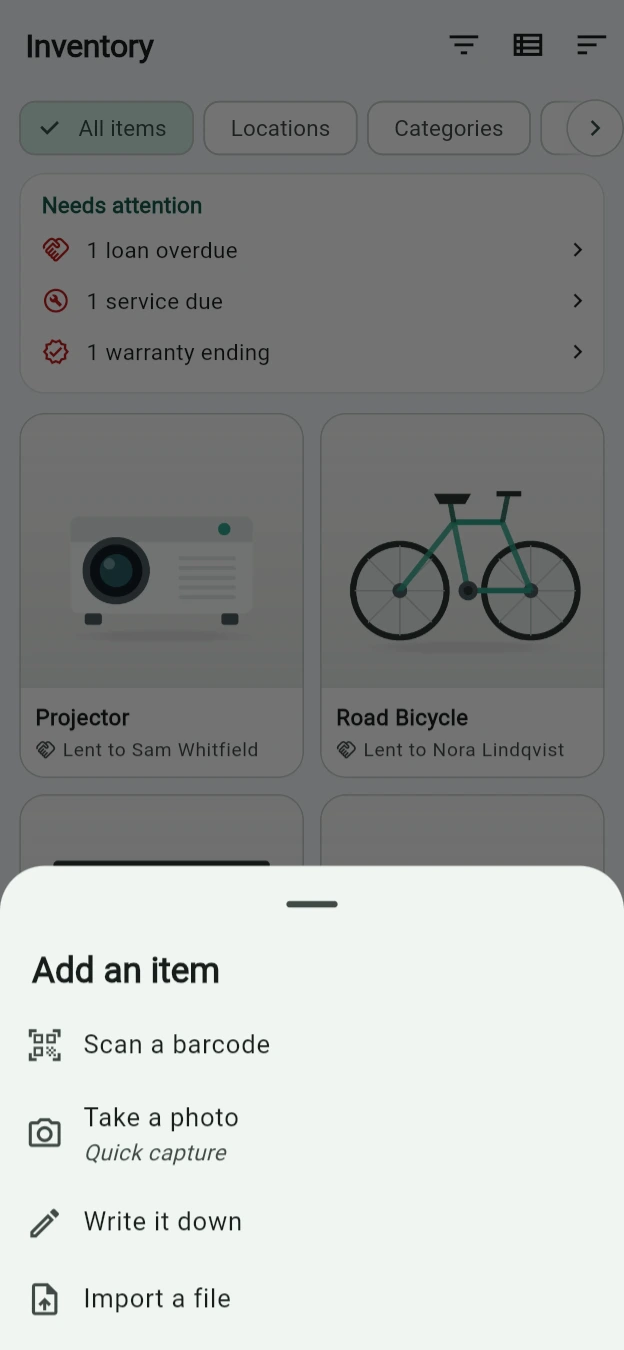
Four ways in, and none of them is a form.
Scan a barcode, take a photo, write it down, or import a spreadsheet you already keep. A batch session holds the room and the category across saves, so twenty things take one pass.
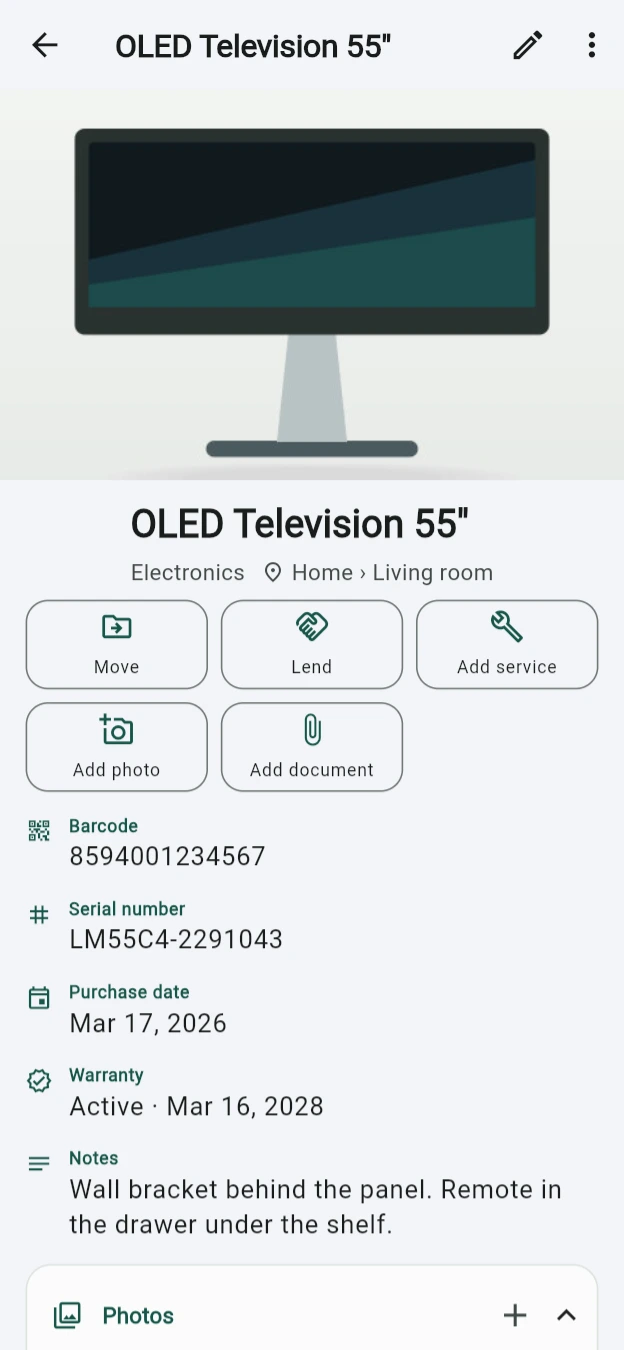
Then it grows, only where you want it to.
Identity, evidence, place, purchase, warranty, insurance, service, lending, value, condition, documents. Settings → Item form is a list you drag rows out of — and nothing you hide is ever deleted.
Before it matters
Nothing runs out quietly.
Every reminder comes from a date you already entered. Change the date and the reminder follows it — there is no second list to keep in step.
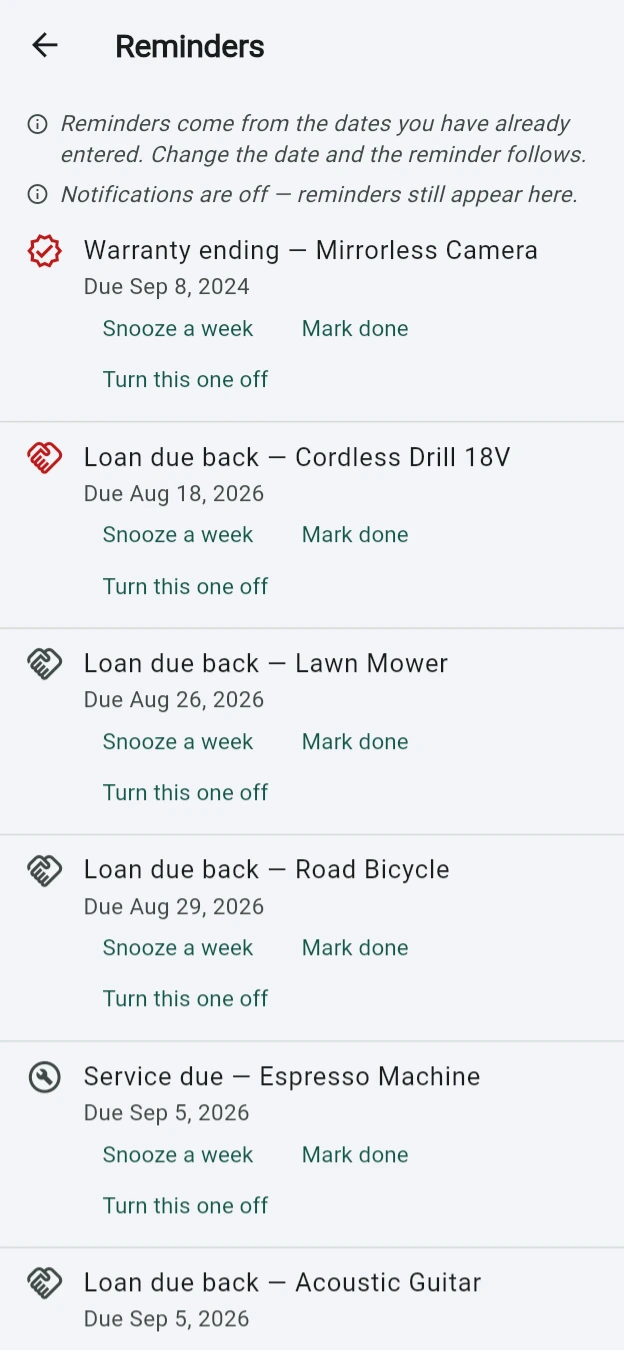
Warranties, services and loans, in one list.
A repeating interval, a single date off a service card, or a meter reading in kilometres or running hours. Notifications are optional — the list works either way.
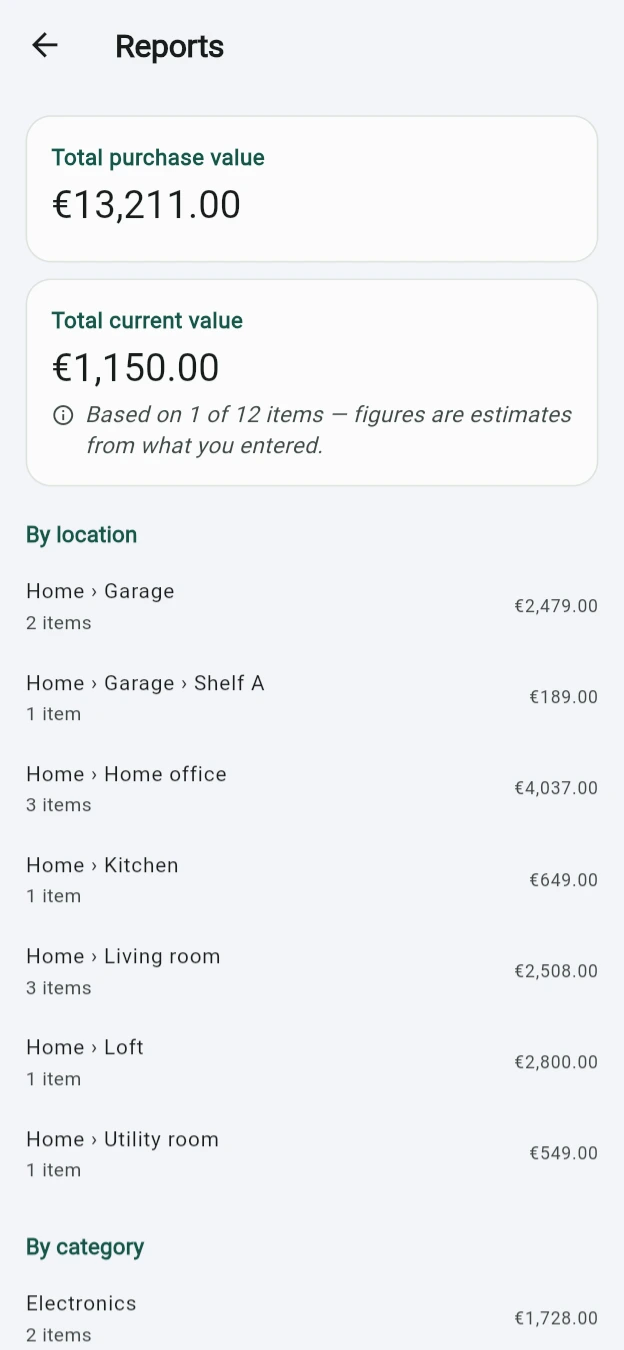
And what the whole lot comes to.
Totals by room and by category, from the prices you entered. It says how many items a figure is based on, and never invents an exchange rate or a depreciation curve.
What it holds
The whole record — and a way back out of it.
All of it is in the free app. There is no paid tier holding any of it back.
- Capture
- Barcode and QR scan, camera, gallery, file, manual entry, duplicate-from-existing, and CSV import. Every identifier can be typed; scanning is never the only way in.
- Organise
- A location tree from property down to shelf — or a flat list of rooms, if that is all you want. Editable categories, collections that cut across them, tags and relations.
- Document
- Photographs with roles: overview, serial plate, label, receipt, damage, before and after a repair. One invoice covering three devices is stored once and linked three times.
- Care
- Warranty as a state rather than a guessed date. Insurance, service and repair history in one timeline, and condition kept as a history so recording damage never erases what was there.
- Move
- Batch moves, printable QR labels for items and for boxes, and a moving mode for the week the van comes.
- Get it back out
- CSV and JSON, a printable inventory book, an evidence package for an insurer, and a backup that is a plain zip. No export limit and no watermark.
The part that is not a feature
It cannot leak, because it never leaves.
A list of what you own, where you keep it and what it is worth is exactly the document you would not upload. So there is nowhere to upload it to.
No account, ever.
Nothing asks who you are. There is no sign-in, no profile, no recovery address and nothing to delete later.
No server behind it.
There is no server of ours anywhere. The only requests the app makes are the searches you type into Online lookup, and those go straight to Wikipedia and the other catalogues — never to us, and never on their own.
Nothing is counted.
No tracking, no analytics, no crash reporting, no adverts. Nothing measures how you use it, because nothing is listening.
Your copy is yours.
A backup is an ordinary zip: a readable JSON record and every original photograph, byte for byte. Somebody with the file and no app still has their inventory.
A link you tap — a manual, a warranty page — is handed to your browser. The app itself still makes no request of its own.
Read the full privacy policyFree
It costs nothing, and it is not selling you anything.
No subscription, no paid tier, no upgrade prompt, no limit on how much you record. If it saved you an afternoon, you can say so.
Possessionary is made by a small studio and given away. A tip is not expected and unlocks nothing: the app is identical whether you leave one or not.
Leave a tip
Other ways to say thanks:
Prefer email? Send a tip
Get it
Three ways to run it, and none of them wants an account.
The same app on all three. An inventory you start in the browser stays in that browser — there is no server to sync it through, so a backup file is how it moves between them.
Web
Runs in the page, stores everything in your browser, and needs no install. The camera and the scanner work if your browser allows them.
Open it hereAndroid
In closed testing on Google Play. Join the tester list and it installs like any other app.
iOS
Camera, photo library and Face ID work as they do anywhere else, and are asked for only at the moment you use them.